
JJSplit
JJSplit is a file splitter developed in Java language. It is used to split large files into small files. It is the best option to transfer the larger files on the internet. If you want to join or split your files with some clicks, just hit the download button.
JJSplit Overview
JJSplit is a simple and efficient tool that lets you break large files into smaller pieces and merge them back effortlessly. It was developed by vigneshwaranr. It is free software and is available in the English language. This tool works efficiently on Windows, Linux, and Mac.
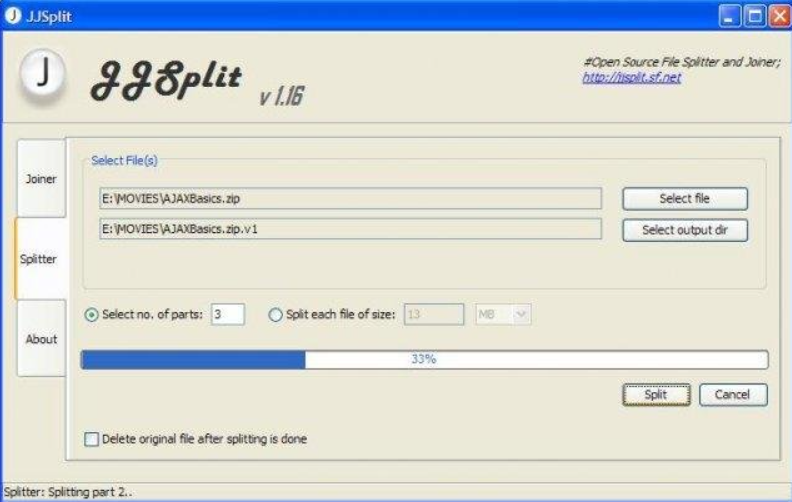
You can easily split and join any file using this tool. If you want to split a file, just open the JJSplit on your desktop. Select the option “Split” and choose the file to split down. Then, set the size for each split part. Set the save location and click on the “Start” button to split the file.
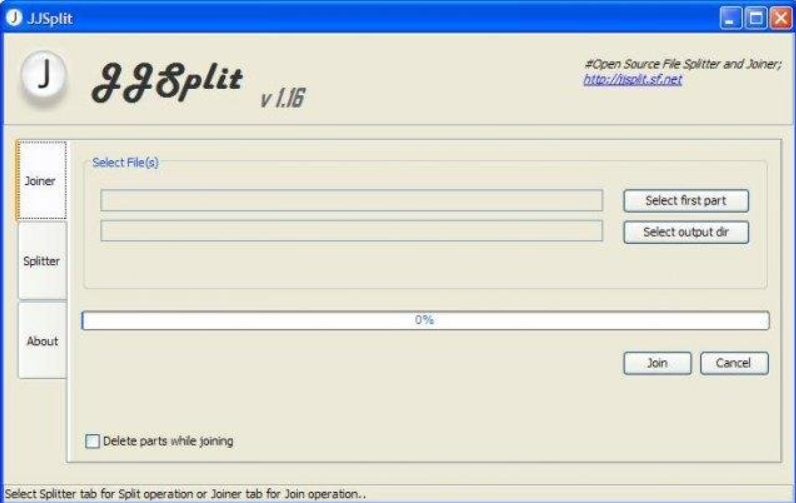
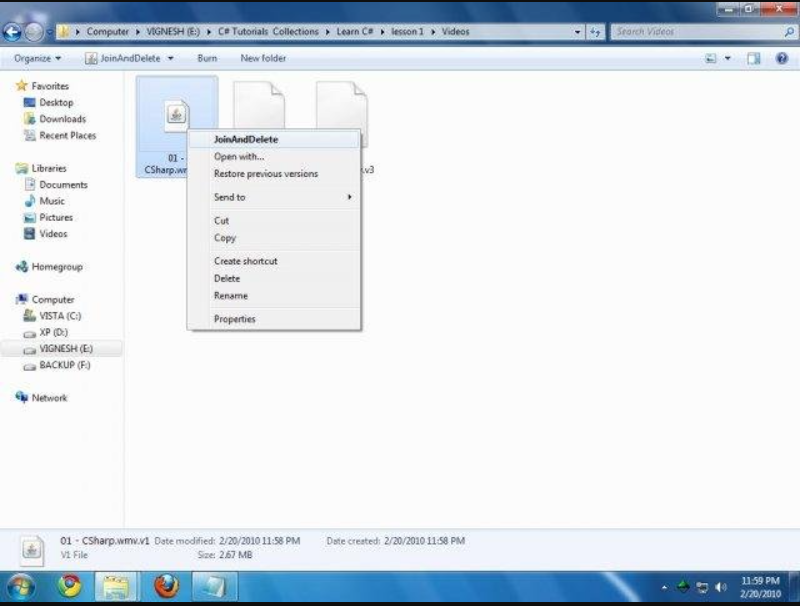
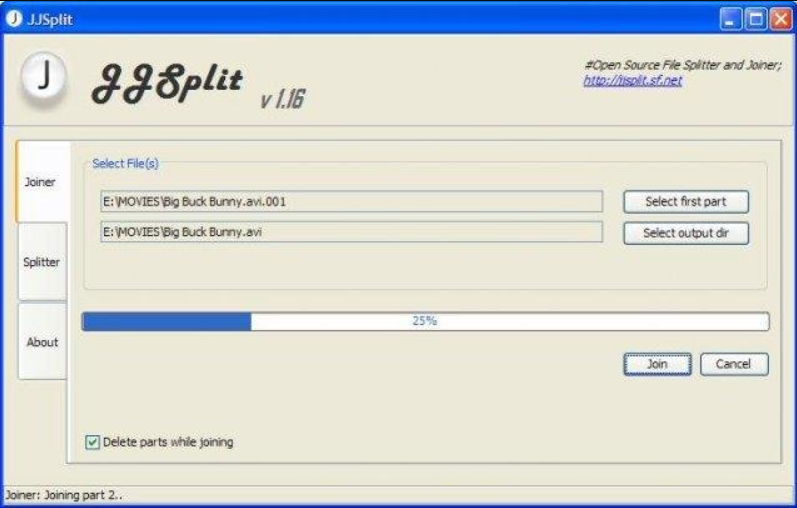
You can also easily join the split parts of the file. To join the files, click on the “Join” option in JJSplit. Then, choose the split parts of the file, like .001 and .002. Click on the “Start” button to join all parts of the file. It also offers a “double-click” option to join the files automatically. Ever tried sending a huge file only to get blocked by size limits? Yeah, we’ve all been there. That’s exactly where JJSplit steps in like a digital superhero. If you’re searching for JJSplit free download, you’re probably looking for a simple, no-nonsense way to split and join files without jumping through hoops. JJSplit has been around for years, quietly doing its job while flashy tools come and go. It doesn’t scream for attention, but it gets the work done—and sometimes, that’s all you need.
What Is JJSplit Used For?
At its core, JJSplit is a file splitting and joining utility. It allows you to break large files into smaller chunks and then reassemble them later. Think of it like slicing a big pizza so everyone can grab a piece easily 🍕.
People commonly use JJSplit to:
- Share large files via email or USB
- Upload files to size-restricted platforms
- Store big files across multiple drives
- Transfer data safely and conveniently
Why People Search for JJSplit Free Download
The internet is flooded with complex software loaded with features you’ll never use. JJSplit is different. It’s:
- Free
- Lightweight
- Portable
- Beginner-friendly
No subscriptions. No ads. No unnecessary fluff. That’s why “JJSplit free download” remains a popular search query even today.
Understanding File Splitting and Joining
What Is File Splitting?
File splitting is the process of dividing a single large file into smaller parts. These parts are easier to manage, transfer, or store.
What Is File Joining?
File joining is the reverse process. Once all parts are available, JJSplit stitches them back together into the original file—no data loss, no drama.
Real-Life Examples of File Splitting
Imagine trying to send a 4GB video over email. Impossible, right? Split it into 200MB chunks, send them one by one, and rejoin them at the destination. Problem solved.
Key Features
You can join the file parts with a click.
Any time can delete the joined or split file parts.
It supports joining .001 and .002 files.
Capable of doing multi-threaded operations.
It has a portable feature. You can run it directly from a USB device.
It has a simple and easy-to-use interface.
Steps to Install JJSplit on your Desktop
- Open the web browser and search for the JJSplit.
- Click the download button on the website.
- Once the JJSplit file is downloaded, click on the file to start the installation.
- After the successful installation you can use this program.
JJSplit Free Download – Is It Really Free?
Absolutely. JJSplit is 100% free software. There are no hidden fees, trial periods, or premium upgrades waiting to ambush you later.
Is JJSplit Safe to Use?
Yes, as long as you download it from a trusted source. It doesn’t contain spyware, malware, or adware. Just avoid sketchy third-party sites packed with fake download buttons.
System Requirements for JJSplit
Windows Compatibility
JJSplit works smoothly on:
Windows XP
Windows 7
Windows 8
Windows 10
Windows 11
Storage and Memory Needs
Minimal requirements:
A few MBs of disk space
Basic RAM availability
In short, if your PC can breathe, it can run JJSplit.
How to Download JJSplit for Free
Official Sources vs Third-Party Sites
Always prioritize official or well-known software archive websites. They provide clean versions without modifications.
Things to Check Before Downloading
File size consistency
Digital signature (if available)
User reviews
Scan with antivirus
How to Use JJSplit Step by Step
Splitting a File
Open JJSplit
Click “Split”
Select the file
Choose chunk size
Click “Start”
Boom. File split in seconds.
Joining Files Back Together
Open JJSplit
Click “Join”
Select the first split file
Click “Start”
That’s it. Your original file is back.
Common Mistakes to Avoid
Missing a split file
Renaming parts
Changing file extensions
Advantages of Using JJSplit
Free and reliable
Extremely easy to use
No installation
Fast processing
Perfect for beginners
Limitations of JJSplit
Let’s be real—nothing is perfect.
Windows-only
Basic interface
No encryption or compression
But if simplicity is what you want, these aren’t deal-breakers.
JJSplit vs Other File Splitter Tools
JJSplit vs WinRAR
WinRAR offers compression but requires installation and licensing. JJSplit focuses purely on splitting—no distractions.
JJSplit vs 7-Zip
7-Zip is powerful but complex. JJSplit wins when you want speed and simplicity.
Best Use Cases for JJSplit
Sending large files
USB transfers
Backup splitting
Offline file sharing
Legacy systems
Tips to Get the Best Results with JJSplit
Keep all parts in one folder
Use consistent chunk sizes
Label folders clearly
Backup original files
Download JJSplit
| Software Name | JJSplit |
| Publisher | vigneshwaranr |
| File Size | 535.9 KB |
| Language | English |
| Category | System Utilities |
| Operating System | Windows, Mac, Linux |
| Downloads | 1,645 |
Conclusion
JJSplit is a specially designed software that is used to split and join large files. You can break large files into several smaller ones with ease. It makes it simpler to manage, transfer, and store them without any hassle. These files can also be joined as a single file. All this process can easily be done with some clicks. It is a small and portable software that you can use anywhere without installing it. So, if you work with large files then you must use this software. If you’re looking for a simple, free, and reliable file splitter, JJSplit free download is still a solid choice. It doesn’t try to impress—it just works. Like a trusty old toolbox, it’s always there when you need it. Whether you’re a casual user or a tech-savvy pro, JJSplit gets the job done without breaking a sweat.
FAQs
1. Is JJSplit completely free?
Yes, JJSplit is 100% free with no hidden costs.
2. Can JJSplit handle very large files?
Absolutely. It’s designed to split large files efficiently.
3. Does JJSplit work on Windows 11?
Yes, it works smoothly on modern Windows versions.
4. Do I need to install JJSplit?
No installation required. It’s a portable tool.
5. Is JJSplit better than WinRAR?
For simple file splitting, yes. For compression, WinRAR has the edge.